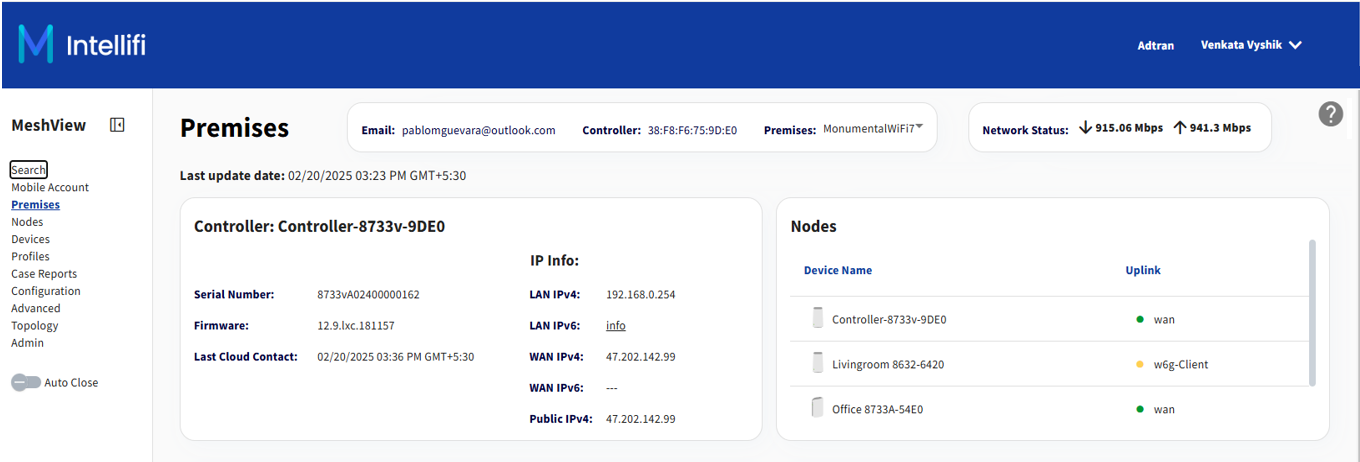
Accessing Intellifi
The Intellifi application provides a comprehensive summary of network information for the selected controller device. It indicates whether the controller is enabled or disabled with Intellifi support and displays detailed information for each satellite connected to the premises. Users can review the specific details associated with each connected satellite.
To access this feature, navigate to the Device Management section and select Intellifi.
This feature operates through a PULL action, retrieving TR-069 parameter details for Intellifi. No configuration is required, as the application is designed for view-only purposes.
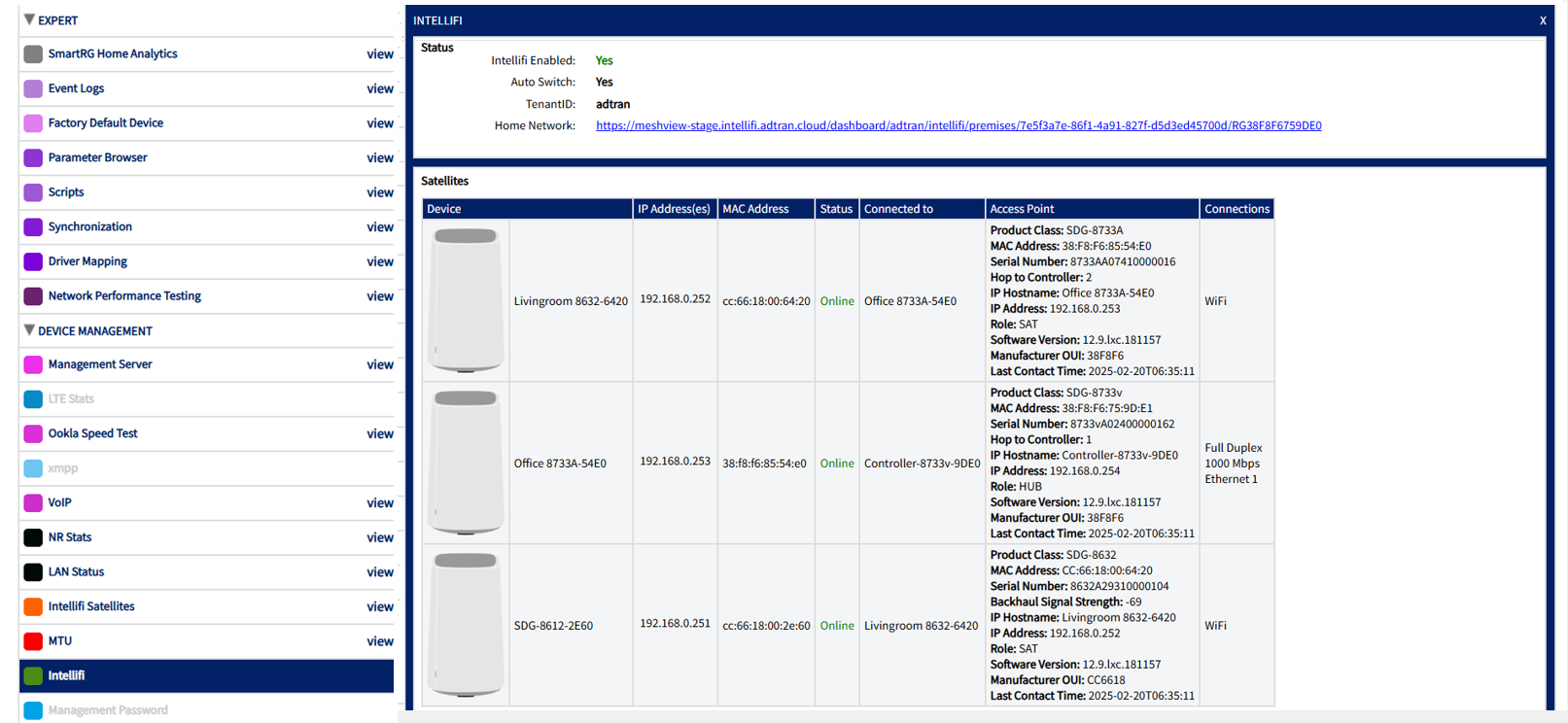
| Field | Description |
|---|---|
| Intellifi Enabled: | Displays whether the controller is enabled with Intellifi support or not. |
| Auto Switch | Displays if the Auto Switch is enabled or disabled on the controller. |
| TenantID | Displays the Tenant ID from which the device is being managed. |
| Home Network |
The URL generated here provides access to the meshview of the home network The URL will be displayed with the mobile account and serial number There should be Intellifi URL in the global based on the environment of the meshview |

Satellite Information:
-
Device: Displays the icon and name associated with the Intellifi device.
-
IP Address: Shows the IP address of the satellite device.
-
Mac Address: Displays the MAC address of the satellite device.
-
Status: Indicates whether the satellite is connected via Ethernet or Wi-Fi link.
-
Connected To: Displays the controller to which this satellite is currently connected.
-
Access Points: Provides detailed information about the device, including the following:
-
Product Class: Identifies the product class of the satellite device.
-
Manufacturer: Displays the name of the manufacturer of the satellite device.
-
Serial Number: Displays the serial number of the satellite device.
-
Hops to Controller: Indicates the number of hops between the satellite and the controller.
-
MAC Address: Displays the MAC address of the satellite device.
-
IP Host Name: Shows the hostname of the satellite device’s IP address.
-
IP Address: Displays the IP address assigned to the satellite.
-
Role: Specifies the role of the satellite in the network, HUB/SAT.
-
Software Version: Displays the software version running on the satellite device.
-
Manufacturer OUI: Displays the Organizationally Unique Identifier (OUI) of the manufacturer.
-
Last Contact: Indicates the last time the satellite device communicated with the controller.
-
-
Connections: Displays whether the device is connected with Wi-Fi or Ethernet and provides the duplex modes.