WI-FI Diagnostics
The Wi-Fi Diagnostic application provides a detailed summary of nearby Wi-Fi networks connected to the controller device. The primary purpose of this feature is to initiate a Wi-Fi scan and retrieve diagnostic results.
To use this feature:
-
Navigate to the Device Management section and select Wi-Fi Diagnostics.
-
Click Wi-Fi Scan to start the diagnostic scan.
Once the scan is complete, you can view the diagnostic results along with the event log with last completed scan date.
This process helps monitor and troubleshoot Wi-Fi connectivity efficiently by providing accurate and up-to-date network information.
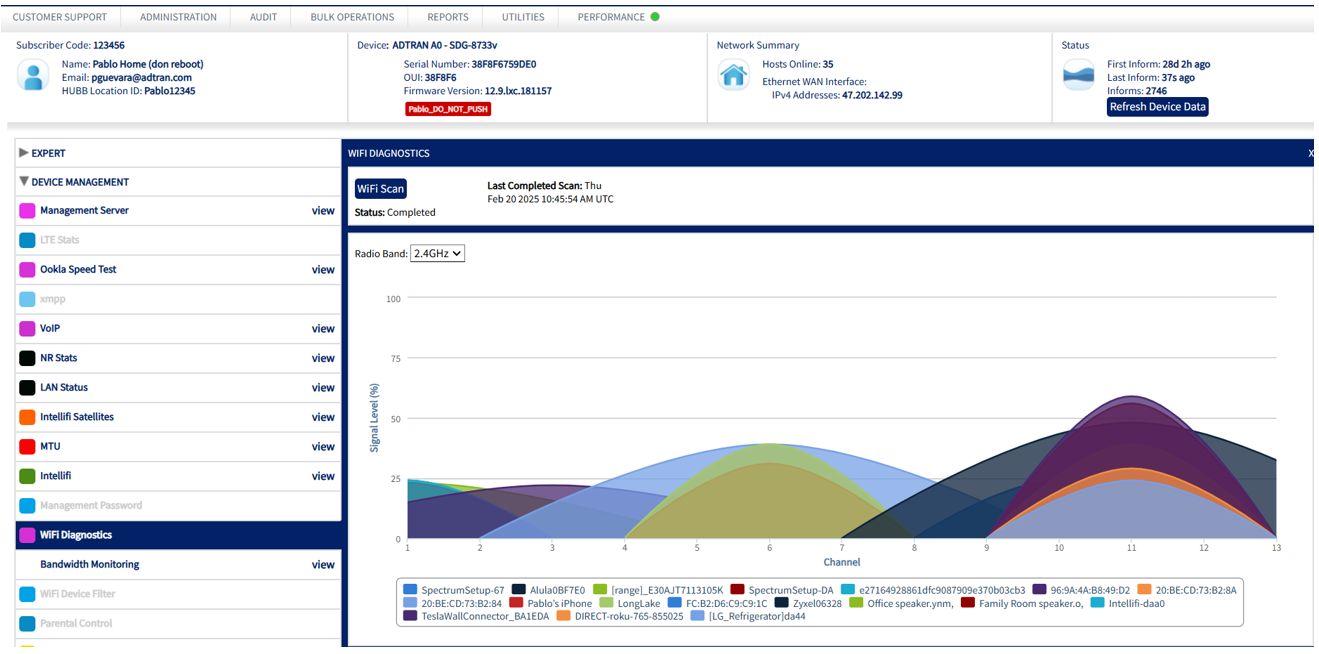
In the example here, x axis is the signal level % and y axis is the channel.
-
for 2.4 GHz channel bandwidth will be from 1 to 13
-
For 5 GHz channel bandwidth will be from 32-68, 96-144, 149-173 channels.
-
For 6GHz channel bandwidth will be from 1-233 channels.
Here is the data in a properly formatted table:
| Channel Bandwidth | Channel Wide | Radio | Bands |
|---|---|---|---|
| 20MHz | 4 channels |
2.4GHz, |
5GHz |
| 40MHz | 8 channels | 2.4GHz | 5GHz |
| 80MHz | 16 channels | 5GHz |
6GHz |
| 160MHz | 32 channels | 5GHz | 6GHz |
| 320MHz | 64 channels |
6GHz |
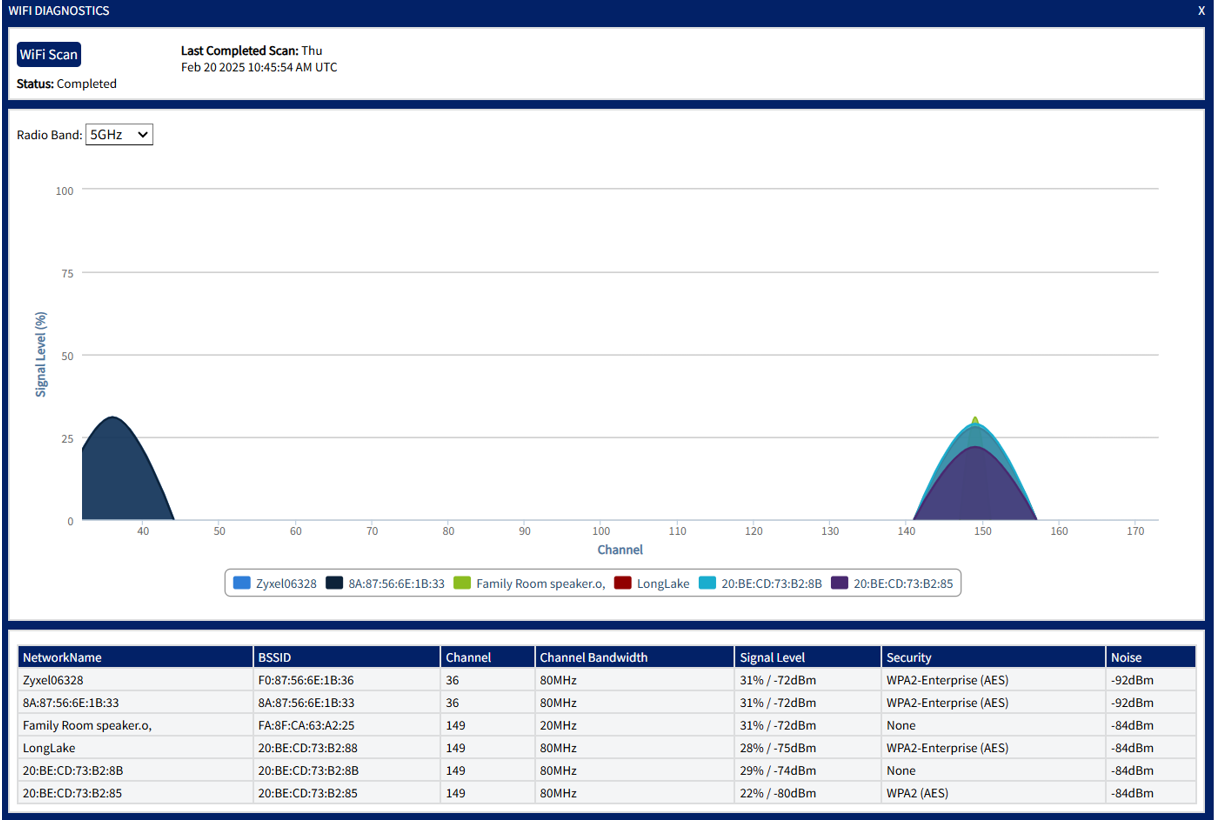
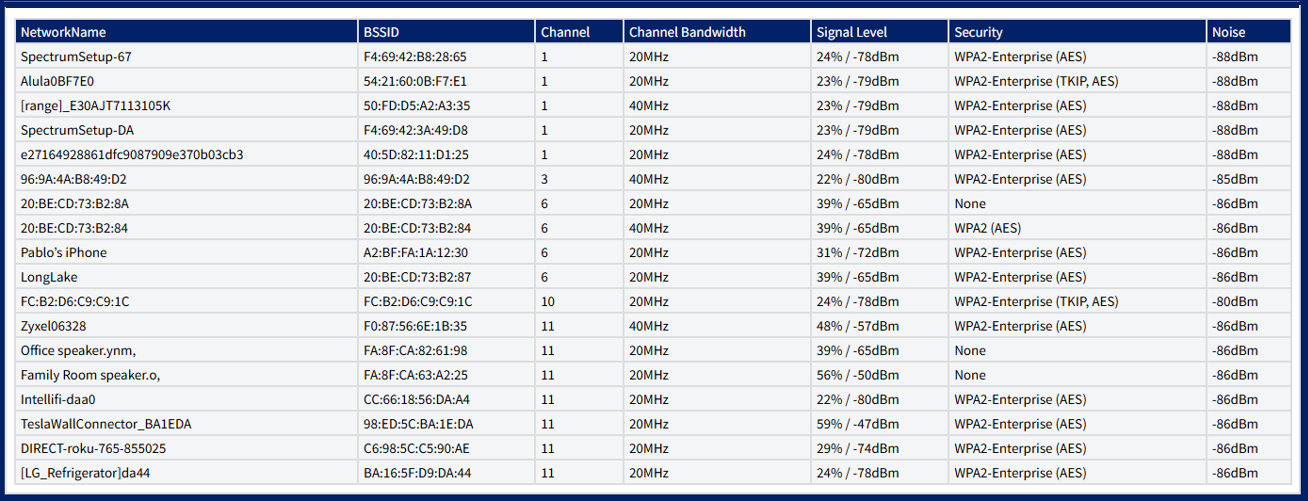
Based on the radio band selection, the system will generate the graph results and table data
If you select 5GHz in the dropdown menu, then the results will display as shown here: